
Padding#
Open splines require padding at the ends when the support of the basis function exceeds two.
This concept can be understood by examining equation (1). Padding means extending the sum as follows:
where \(p\) is the amount of padding.
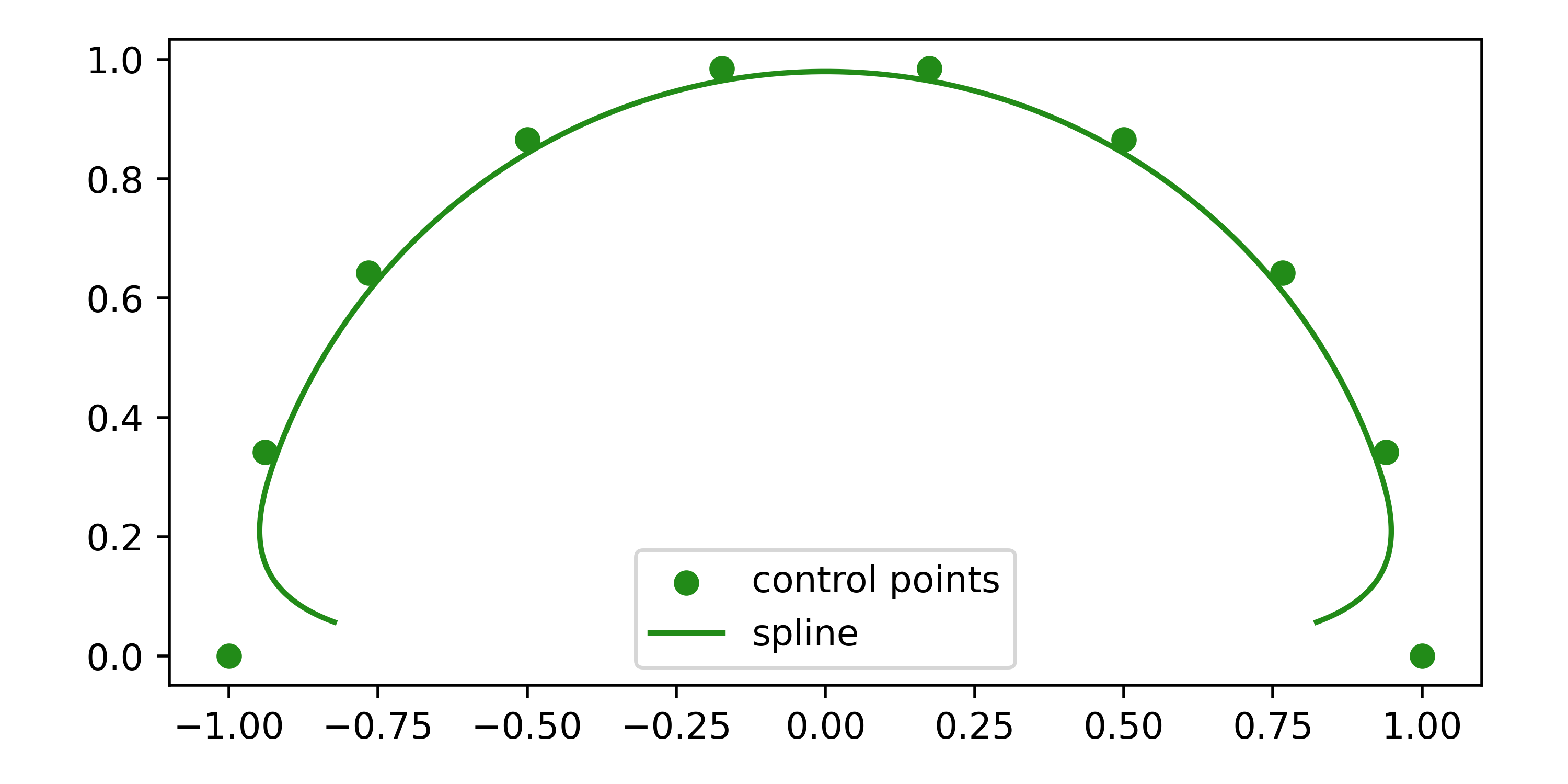
Not padding is equivalent to setting \(c[k]=0\) for all \(k<0\) and \(k>M-1\). If the basis function \(\Phi(t)\) is non-zero at \(t \leq -1\) and \(t \geq 1\) (i.e., support larger than two), these control points influence the spline and must be set. In practice, not padding (setting them to zero) causes the spline’s ends to curve toward the origin.
For example, consider a cubic B-spline without padding, where control points are equidistantly placed on a semicircle. Despite the first and last control point, the spline curves inward toward the origin.
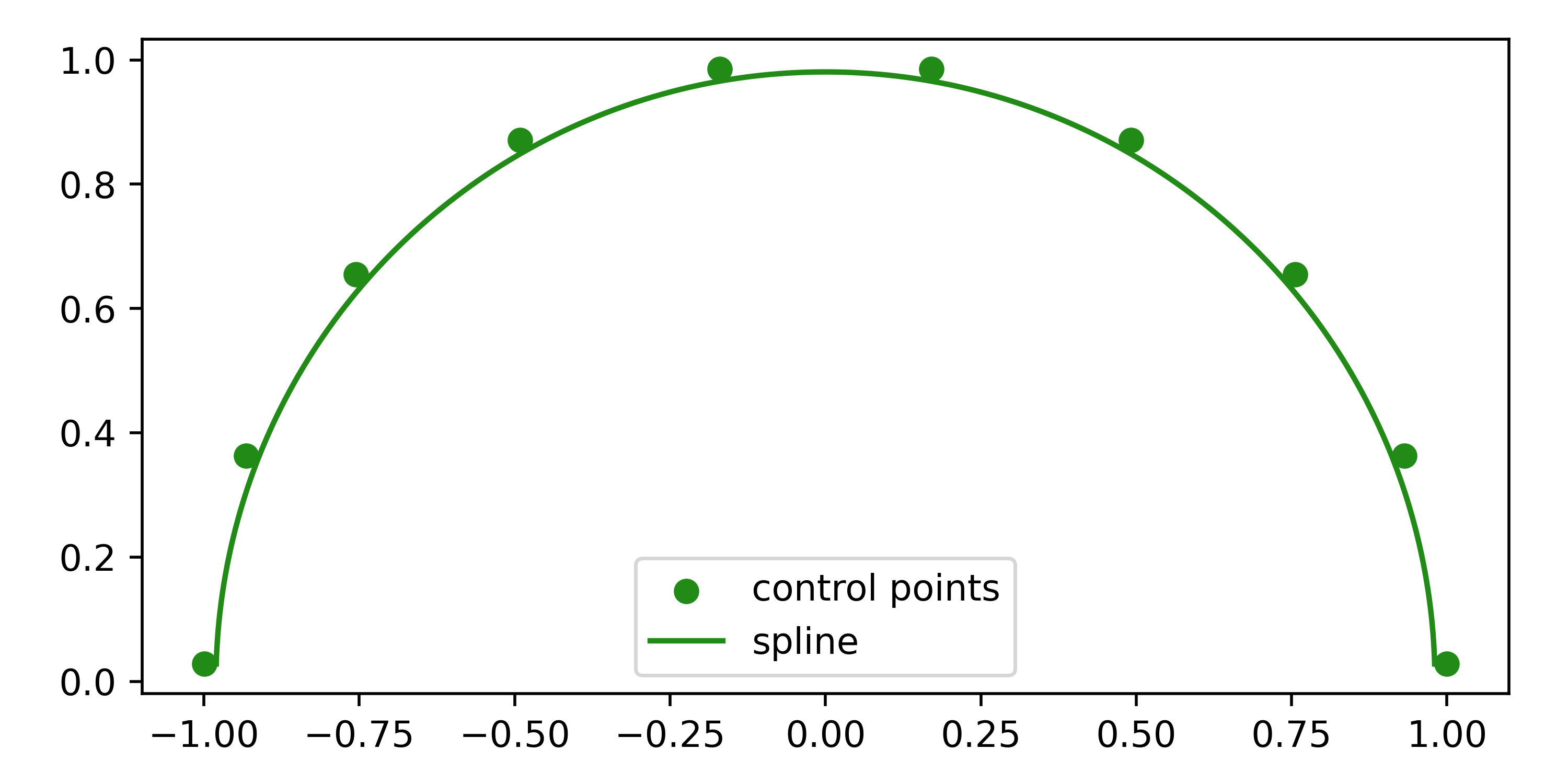
By padding with two additional points on the circle, this behavior is corrected.
If you set the control points manually, you are responsible for handling the padding. This design choice allows full control over the spline’s behavior at the ends.
spline = splinebox.Spline(M=5, basis_function=splinebox.B3(), closed=False)
spline.control_points = np.random.rand((7, ndim))
In the example above, seven control points are required instead of five to account for padding.
When setting knots, padding is handled internally.
By default, knots are repeated at the ends, but you can provide custom padding functions to splinebox.spline_curves.Spline.