
splinebox.spline_curves.HermiteSpline.
normal#
- HermiteSpline.normal(t, frame='bishop', initial_vector=None, shift=None)#
Returns the normal vector(s) for 2D and 3D splines. For 3D splines this is equivalent to
splinebox.spline_curves.Spline.moving_frame().- Parameters:
- tfloat or numpy array
The parameter value(s) for which the normal vector(s) are computed.
- frame“bishop” | “frenet”
The type of frame used for 3D curves.
- initial_vectornumpy array
Fixes the initial orientation of the normals at position t[0].
- shiftfloat or None
Not all splines are C2 or C1. If any of the t values are at non-differentiable locations, the shift will be applied to them. If shift is None an error will be raised. Usually, a very small shift is sufficient.
- Returns:
- normalsnumpy array
The normal vectors.
Examples
>>> import splinebox
>>> import numpy as np
>>> import matplotlib.pyplot as plt
We start by creating a spline.
>>> spline = splinebox.Spline(M=4, basis_function=splinebox.B3(), closed=False)
>>> spline.knots = np.array([[0, 0], [1, 1], [2, 0], [3, -1]])
Next, we compute one of the normals
>>> normal = spline.normal(0.5)
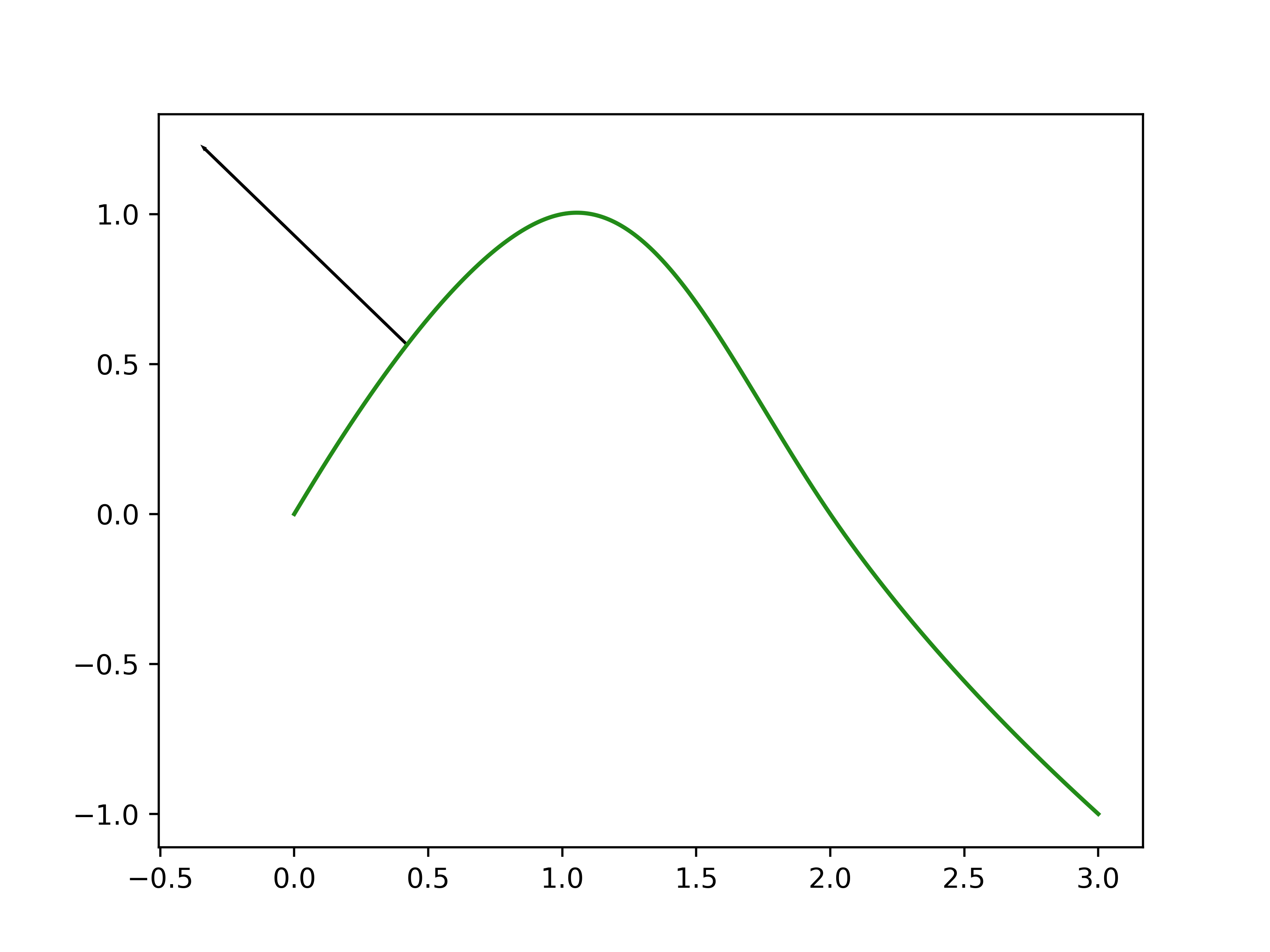
Let’s, plot the spline and our normal.
>>> t = np.linspace(0, spline.M - 1, 1000)
>>> vals = spline(t)
>>> plt.plot(vals[:, 0], vals[:, 1])
>>> point = spline(0.5)
>>> plt.arrow(point[0], point[1], normal[0], normal[1])
>>> plt.show()