
Spline#
- class splinebox.spline_curves.Spline(M, basis_function, closed=False, control_points=None, padding_function=<function padding_function>, integration_segment_size=0.1)#
Base class for the construction of a spline.
- Parameters:
- Mint
Number of knots.
- basis_function
splinebox.basis_functions.BasisFunction The basis function used to construct the spline.
- closedboolean
Whether or not the spline is closed, i.e. the two ends are connected.
- control_pointsnp.array
The control points of the spline. Optional, can be provided later.
- padding_functioncallable
A function that accepts an array of knots as the first argument and the padding size as the second argument. It should return a padded array. If None, a padded array has to be supplied when setting the
knots. The default is constant padding with the edge values (seesplinebox.spline_curves.padding_function()).- integration_segment_sizefloat
A positive float number in (0, 1]. Default is 0.1. For details see
splinebox.spline_curves.Spline.arc_length().
- Attributes:
- M
basis_functionThe basis function \(\Phi\) of the spline (1).
- closed
control_pointsThe control points \(c[k]\) as defined in equation (1).
- half_support
integration_segment_sizeSize of the segments for the Gauss-Legendre quadrature.
knotsThe knots \(n[k]\) of this spline as defined in equation (3).
ndimThe dimensionality of the space the spline lives in, i.e.
- pad
Methods
__call__(t[, derivative])Evalute the spline or one of its derivatives at parameter value(s) t.
arc_length([stop, start])Compute the arc length of the spline between the two parameter values specified.
arc_length_to_parameter(s[, atol])Convert the arc length s to the coresponding value in parameter space.
copy()Returns a deep copy of this spline.
curvature(t)Compute the curvature of the spline at position(s) t.
curvilinear_reparametrization_energy([atol, ...])This energy can be used to enforce equal spacing of the knots.
distance(points[, return_t])Computes the distance of point from the spline.
draw(x, y)Computes whether a point is inside or outside a closed spline on a regular grid of points.
dtheta(t)Helper function for calculating the winding number.
fit(points[, boundary_condition])Fit the provided points with the spline using least squares.
from_json(path)Constructs a spline from a json file that was saved using
splinebox.spline_curves.Spline.to_json().is_inside(x, y)Determines if a point with coordinates x, y is inside the spline.
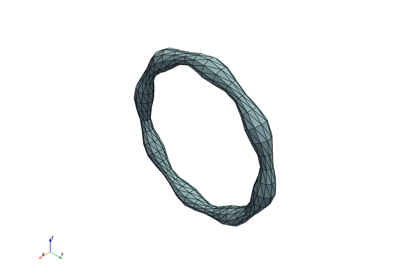
mesh([radius, step_t, step_angle, ...])Create a 3D mesh around the spline curve.
moving_frame(t[, method, initial_vector, shift])Compute a moving frame (local orthonormal coordinate system) along the spline.
normal(t[, frame, initial_vector, shift])Returns the normal vector(s) for 2D and 3D splines.
rotate(rotation_matrix[, centred])Rotate the spline with the provided rotation matrix.
scale(scaling_factor)Enlarge or shrink the spline by the provided factor.
to_json(path[, version])Saves the spline as a json file.
translate(vector)Translates the spline by a vector.
- Raises:
- RuntimeError
If M is too small for the specified basis function. M must be at least as large as the support of the basis function.
Examples
Create a new spline object…
>>> spline = splinebox.Spline(M=5, basis_function=splinebox.B3(), closed=False)
Set the control points of the spline. Note that the control points have to be padded for open splines. Here we need to specify 7 3D points instead of 5.
>>> spline.control_points = np.random.rand(7, 3)
Alternatively, we can specify knots instead of control points.
>>> spline.knots = np.array([[1, 1], [2, 2], [3, 3], [4, 4], [5, 5]])
Define a set of parameter value where we want to evaluate the spline
>>> t = np.linspace(0, 5, 11)
>>> t
array([0. , 0.5, 1. , 1.5, 2. , 2.5, 3. , 3.5, 4. , 4.5, 5. ])
Evaluate the spline.
>>> spline(t)
array([[1.   , 1.   ],
       [1.413, 1.413],
       [2.   , 2.   ],
       [2.529, 2.529],
       [3.   , 3.   ],
       [3.471, 3.471],
       [4.   , 4.   ],
       [4.587, 4.587],
       [5.   , 5.   ],
       [4.947, 4.947],
       [4.115, 4.115]])
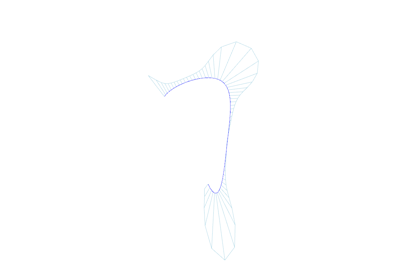
Comparison splinebox and scipy: contour approximation