
splinebox.spline_curves.Spline.
is_inside#
- Spline.is_inside(x, y)#
Determines if a point with coordinates x, y is inside the spline. Only works for closed 2D curves.
To determine whether a point is inside or outside the spline, the winding number is used:
\[wind(\gamma, 0) = \frac{1}{2\pi} \oint_\gamma d\theta = \frac{1}{2\pi} \oint_\gamma \left( \frac{x}{r^2}dy - \frac{y}{r^2}dx \right).\]For a description of \(d\theta\) check
splinebox.spline_curves.Spline.dtheta().- Parameters:
- xnumpy.ndarray or float
x coordinate(s) of point(s)
- ynumpy.ndarray or float
y coordinate(s) of point(s)
- Returns:
- valfloat
1 if the point is inside, 0.5 if its on the curve and 0 if it is outside the curve.
Examples
>>> import splinebox
>>> import numpy as np
>>> import matplotlib.pyplot as plt
Construct a spline
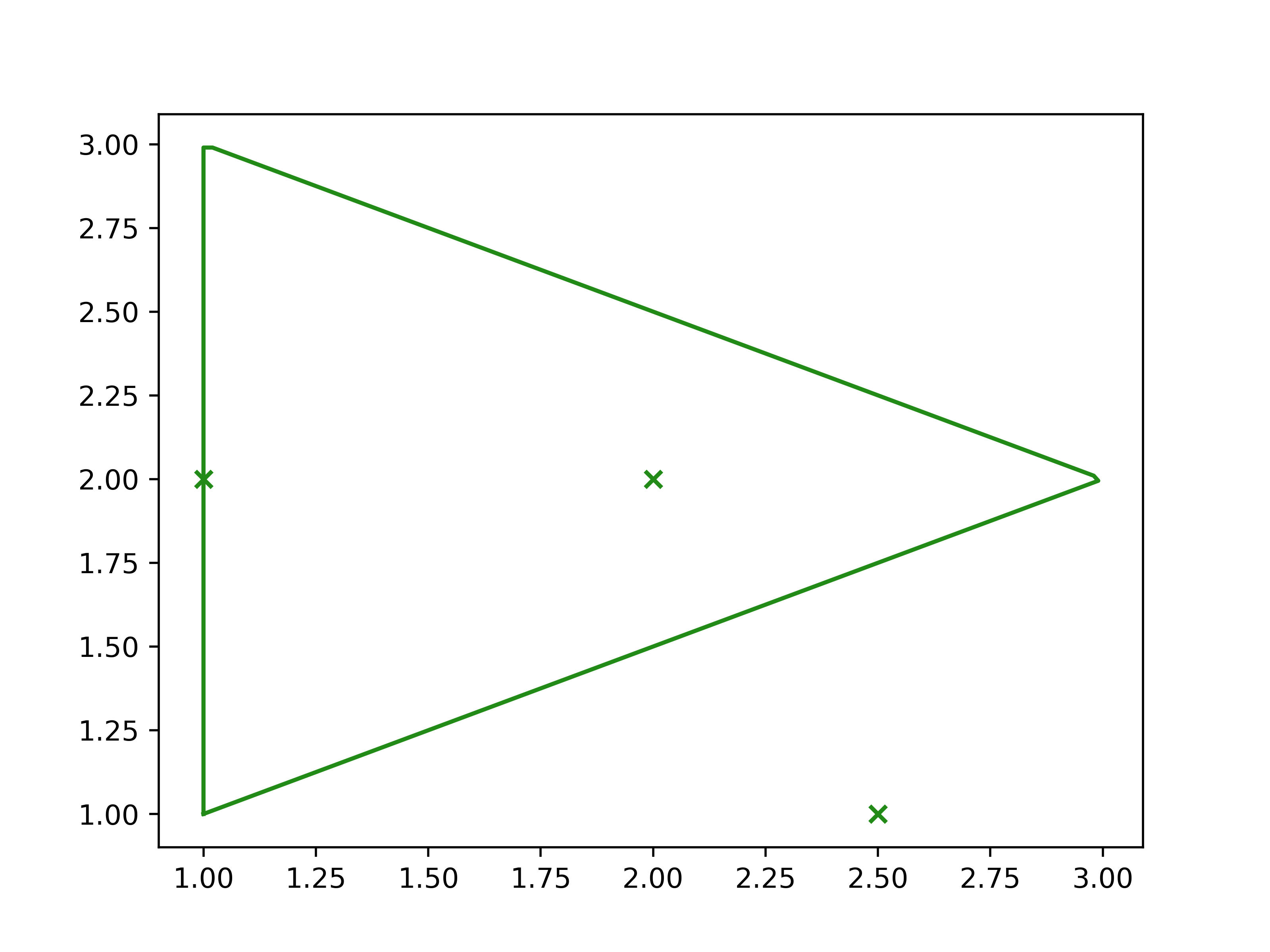
>>> spline = splinebox.Spline(M=3, basis_function=splinebox.B1(), closed=True)
>>> spline.knots = np.array([[1, 1], [1, 3], [3, 2]])
>>> points = np.array([[2.5, 1.0], [1.0, 2.0], [2.0, 2.0]])
>>> spline.is_inside(points[:, 0], points[:, 1])
array([0. , 0.5, 1. ])
>>> t = np.linspace(0, 3, 200)
>>> vals = spline(t)
>>> plt.plot(vals[:, 0], vals[:, 1])
>>> plt.scatter(points[:, 0], points[:, 1], marker="x")
>>> plt.show()